The Technical Audit Checklist: How to Uncover Hidden SEO Bottlenecks on a Growing Squarespace Site

As your website grows, so does its complexity. New pages, blog posts, integrations, images, and content updates can gradually introduce technical issues that affect your visibility in search engines. Even a beautifully designed Squarespace website can develop hidden SEO bottlenecks that slow growth and prevent your content from reaching its full potential.
That is why every growing website needs a comprehensive Technical Audit Checklist.
A technical audit helps you identify the issues search engines encounter when crawling, indexing, and ranking your website. It allows you to spot opportunities for improvement before they impact your traffic, conversions, and overall online visibility.
In this guide, we'll walk through a practical Technical Audit Checklist specifically designed for growing Squarespace websites. You'll learn what to review, why it matters, and how each element contributes to stronger SEO performance.
Why a Technical Audit Matters for Squarespace SEO
Many business owners focus heavily on content and keywords while overlooking the technical foundation of their website. Yet search engines rely on technical signals to understand your site structure, assess user experience, and determine whether your pages deserve visibility.
A Technical Audit Checklist helps you:
Identify hidden SEO issues before they impact rankings.
Improve crawlability and indexing for search engines.
Enhance user experience and website performance.
Support long-term organic growth.
Maximise the return on your content and SEO investment.
At Visuable, every Squarespace website includes technical SEO foundations such as mobile optimisation, structured heading hierarchy, SSL security, clean URLs, image optimisation, redirects, and Search Console setup because these elements create the framework for sustainable growth.
Step 1: Review Website Crawlability
The first item on any Technical Audit Checklist is ensuring search engines can access and crawl your content effectively.
Search engines use bots to discover and analyse pages. If important pages cannot be crawled, they may never appear in search results.
Review the following:
Is your sitemap generated and submitted to Google Search Console?
Are important pages blocked from indexing?
Have recently published pages been indexed?
Are there orphan pages with no internal links pointing to them?
Squarespace automatically generates an XML sitemap, making this process easier than many other platforms. However, it is still important to regularly review your indexing status inside Google Search Console.
Step 2: Check Website Speed and Performance
Page speed has become increasingly important for both user experience and search engine rankings.
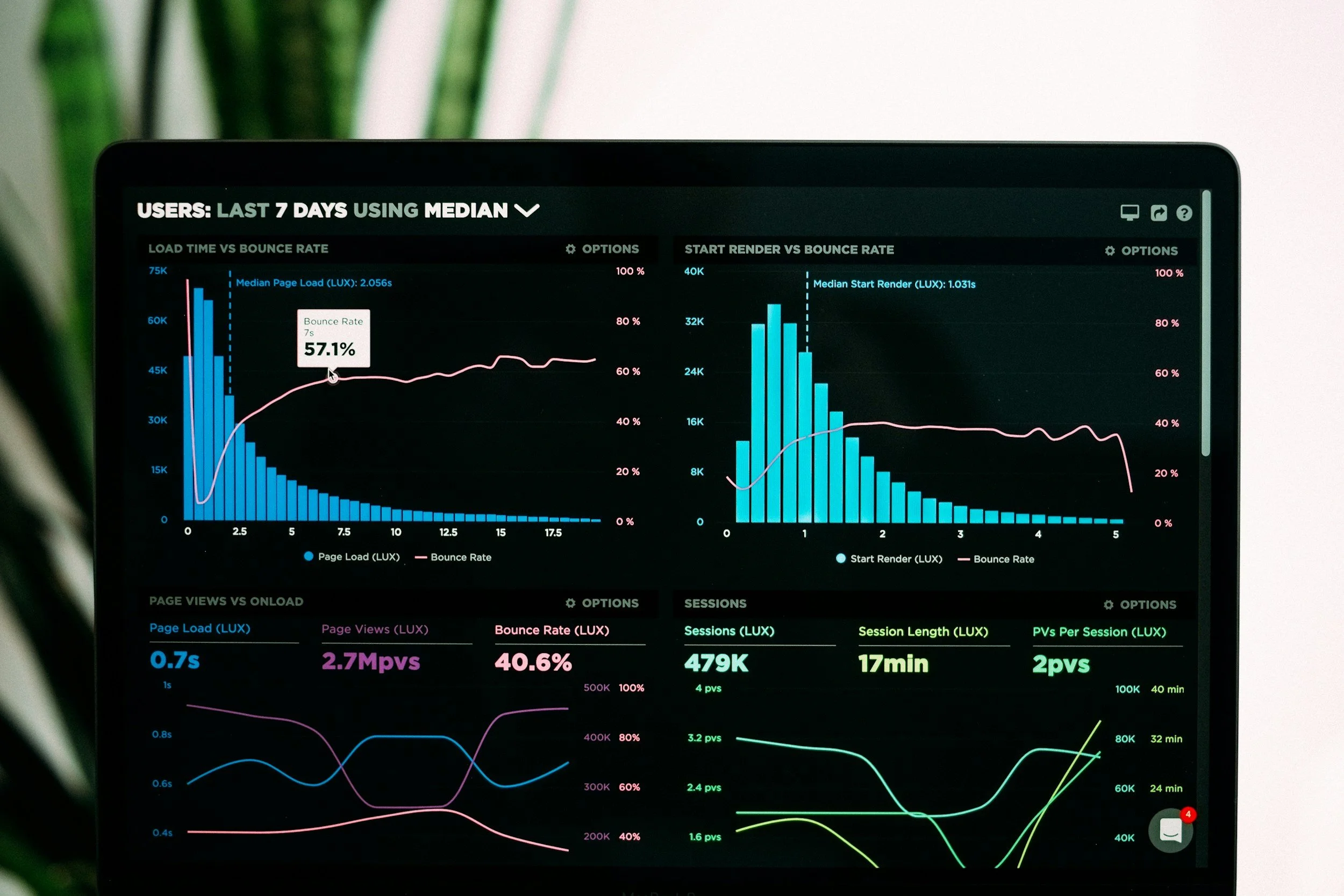
A slow website can increase bounce rates, reduce engagement, and make it harder for search engines to evaluate your content positively.
Your Technical Audit Checklist should include:
Page load speed across desktop and mobile devices.
Large image files that need compression.
Excessive third-party scripts.
Unused integrations and plugins.
Slow loading videos or animations.
Many growing Squarespace sites accumulate media files over time. High-resolution images often become one of the most common causes of performance issues.
Regular optimisation keeps your website fast, responsive, and enjoyable for visitors.
Step 3: Audit Mobile Experience
Google primarily uses mobile first indexing, meaning it evaluates the mobile version of your website before the desktop version.
A strong mobile experience is no longer optional.
When completing your Technical Audit Checklist, review:
Mobile navigation usability.
Font sizes and readability.
Button spacing and tap targets.
Image responsiveness.
Page loading speed on mobile devices.
Form functionality across different screen sizes.
Squarespace provides responsive design capabilities, but customisations and content additions can sometimes create mobile display issues that go unnoticed.
Step 4: Evaluate Website Architecture
Website architecture refers to how your pages are organised and connected.
A clear structure helps both users and search engines navigate your content efficiently.
Review these areas:
Main navigation structure.
Logical page hierarchy.
Category and blog organisation.
Internal linking opportunities.
User pathways to important pages.
An effective website architecture supports stronger rankings because it helps search engines understand the relationships between different pages.
At Visuable, SEO focused architecture and proper heading structure form a core part of every technical SEO setup.
Step 5: Analyse URL Structure
URLs play an important role in SEO and user experience.
Your Technical Audit Checklist should include a review of:
URL readability.
Keyword inclusion where relevant.
Duplicate URLs.
Unnecessary parameters.
Redirect chains.
Broken URL paths.
Clean and descriptive URLs make it easier for both users and search engines to understand page content. For Squarespace websites, maintaining a simple URL structure is often one of the easiest technical wins.
Step 6: Check Heading Structure
Heading hierarchy is one of the most overlooked technical SEO issues.
Many websites accidentally skip heading levels or use headings purely for styling purposes.
Review every important page to ensure:
There is only one H1 per page.
The H1 clearly reflects the page topic.
H2 headings support content organisation.
H3 headings appear under relevant H2 sections.
Headings follow a logical hierarchy. Search engines use headings to understand content structure and relevance. A well-organised heading system improves both SEO and readability.
Step 7: Identify Broken Links and Redirect Issues
Broken links create a poor user experience and can waste crawl budget.
As websites grow, deleted pages and content updates often leave behind broken internal links.
Your Technical Audit Checklist should include:
Internal broken links.
External broken links.
Redirect loops.
Redirect chains.
Missing 301 redirects after page changes.
Maintaining healthy links helps preserve authority and ensures visitors can access the information they need.
Squarespace allows simple redirect management, making it easier to protect existing SEO value when updating site structures.
Step 8: Audit Metadata Across Key Pages
Metadata remains one of the most important on-page SEO elements.
Review:
Page titles.
Meta descriptions.
Duplicate metadata.
Missing metadata.
Keyword alignment.
Click-through rate opportunities.
Every page should have unique metadata that accurately reflects its content and encourages users to click.
This becomes especially important as websites expand beyond their original core pages.
Step 9: Review Image SEO
Images support both user engagement and search visibility.
Many websites upload images without considering their SEO impact.
Review:
Image file sizes.
Image naming conventions.
Alt text descriptions.
Image relevance.
Duplicate image assets.
Proper image optimisation improves page speed while providing additional context for search engines.
Technical SEO best practices include optimised image sizes and descriptive alt text implementation.
Step 10: Validate Security and Technical Trust Signals
Trust signals influence both users and search engines.
Your Technical Audit Checklist should verify:
SSL certificate functionality.
HTTPS implementation.
Secure forms.
Spam protection measures.
Privacy policy accessibility.
Squarespace automatically includes SSL certificates, but it is still worth confirming that all pages load securely and consistently.
A secure website builds confidence and supports stronger SEO performance.
Step 11: Review Structured Data Opportunities
Structured data helps search engines better understand your content.
Depending on your business, structured data may support:
Local business information.
FAQs.
Articles and blog posts.
Products.
Services.
Reviews.
Although structured data is not always visible to visitors, it can improve how your pages appear in search results.
Step 12: Analyse Internal Linking Strategy
Internal links help distribute authority across your website and guide visitors toward important content.
A growing site often develops content silos that become disconnected over time.
Review:
Links between related pages.
Blog to service page connections.
Anchor text relevance.
Navigation pathways.
Content clusters.
Strong internal linking strengthens SEO while creating a better user journey.
Common Technical SEO Issues Found on Growing Squarespace Websites
After auditing hundreds of websites, several issues appear repeatedly:
• Missing metadata on newer pages.
• Large images are slowing down site performance.
• Broken links after content restructuring.
• Weak internal linking between blogs and services.
• Duplicate page titles and descriptions.
• Inconsistent heading hierarchy.
These issues may seem small individually, yet together they can significantly limit your site's growth potential.
Final Thoughts
A growing website is a positive sign that your business is expanding. However, growth often introduces technical complexity that can quietly impact search performance.
Using a consistent Technical Audit Checklist allows you to uncover hidden SEO bottlenecks before they become larger problems. From crawlability and page speed to metadata, mobile usability, and internal linking, each element contributes to a stronger SEO foundation.
The good news is that Squarespace provides many built-in tools that support technical SEO success. Combined with regular audits and strategic optimisation, your website can continue growing while maintaining the performance search engines expect.
If you want to maximise your visibility, improve rankings, and create a stronger foundation for long-term growth, technical SEO should become a regular part of your website maintenance strategy.
SEO is a long-term investment in your brand's growth.
The sooner you start building your visibility, the sooner your website can begin attracting the people who are actively searching for what you offer. If you'd like expert guidance on where to start, we're here to support you every step of the way. Book a free consultation to explore your next steps.
FAQs
-
A Technical Audit Checklist is a structured framework used to evaluate the technical health of a website from an SEO perspective. It helps identify issues that may prevent search engines from crawling, indexing, and ranking your content effectively. A thorough technical audit reviews factors such as site speed, mobile usability, metadata, heading structure, internal linking, redirects, image optimisation, security settings, and crawlability.
For growing Squarespace websites, a Technical Audit Checklist is particularly valuable because websites naturally become more complex over time. New pages, blog posts, integrations, and design updates can unintentionally introduce SEO issues that impact visibility. By regularly auditing your site, you can uncover hidden bottlenecks and create a stronger foundation for long term organic growth.
-
As a general rule, most websites should undergo a technical SEO audit every three to six months. However, the ideal frequency depends on the size of your website and how often you publish new content or make changes.
If your Squarespace site is growing rapidly, publishing regular blog content, launching new services, or updating its structure, quarterly audits are recommended. Frequent audits help ensure that new pages are being indexed correctly, redirects remain functional, and performance issues are addressed before they affect rankings.
Regular technical audits allow you to stay proactive rather than reactive, helping you maintain strong SEO performance as your website evolves.
-
Yes, absolutely. Squarespace websites can rank exceptionally well on Google when they are built and optimised using SEO best practices. Squarespace provides many built in SEO features, including automatic XML sitemaps, SSL certificates, responsive design, clean URLs, and customisable page titles and meta descriptions.
That said, platform features alone are not enough. Strong rankings require a combination of technical SEO, keyword strategy, high quality content, effective internal linking, and a positive user experience. Businesses that consistently publish valuable content and maintain their technical SEO foundations can achieve excellent visibility in competitive search results.
-
There is no single factor that guarantees SEO success. Instead, technical SEO works as a collection of interconnected elements that support your website's overall performance.
However, some of the most critical areas include crawlability, indexing, page speed, mobile usability, and website architecture. If search engines cannot access your content, understand its structure, or provide a good user experience, your rankings can suffer regardless of how strong your content may be.
A comprehensive Technical Audit Checklist ensures that all technical elements work together, creating a stable foundation for content marketing, keyword targeting, and long term SEO growth.
-
Technical SEO does not directly generate traffic in the same way that publishing new content might. Instead, it creates the conditions that allow your content to perform at its best in search results.
For example, improving site speed can reduce bounce rates and improve user engagement. Fixing crawlability issues can help search engines discover more of your pages. Resolving duplicate metadata or broken links can improve how your website is understood and evaluated by search engines.
When combined with a strong content strategy, technical SEO can significantly improve organic visibility, resulting in more qualified visitors, higher engagement, and increased conversions over time.
-
Many technical SEO problems are not immediately visible to website owners, which is why regular audits are so important. Some common warning signs include declining search rankings, slower page speeds, reduced organic traffic, indexing issues, broken links, or poor mobile performance.
You may also notice that new pages are not appearing in Google search results, important pages receive little organic traffic, or visitors leave your site quickly after arriving. These can all indicate underlying technical issues.
Using tools such as Google Search Console, Google Analytics, and dedicated SEO auditing software can help identify potential problems. A comprehensive Technical Audit Checklist provides a structured way to review your website and uncover issues before they begin affecting your visibility and growth.
-
Several tools can help you perform a thorough technical SEO audit. Google Search Console is essential for monitoring indexing, crawl errors, and search performance. Google PageSpeed Insights can help identify speed and performance issues, while tools like Screaming Frog, Ahrefs, Semrush, and Sitebulb provide deeper technical insights.
For Squarespace websites, combining these tools with manual reviews of your page structure, navigation, metadata, and internal linking often provides the most complete picture of your website's technical health.
The goal is not simply to collect data, but to identify actionable improvements that can strengthen your website's SEO foundation and support sustainable growth.
-
As websites grow, they naturally accumulate more pages, content, media assets, and integrations. While growth is positive, it can also introduce hidden technical issues that gradually affect performance.
Technical SEO ensures that your website remains easy for search engines to crawl and understand, while also providing visitors with a fast and seamless experience. Without regular audits, small issues such as broken links, duplicate metadata, slow loading pages, or indexing errors can build up over time and limit your site's potential.
By using a Technical Audit Checklist regularly, you can maintain a healthy website that supports both user experience and search visibility, helping your business continue to grow with confidence.
Related Blogs